WebPerf Snippets
Tested JavaScript snippets that measure and debug web performance. Your AI agent runs them for you, or you run them yourself in DevTools: the same code every time.
AI agents are good at interpreting performance data and unreliable when they write measurement code on the fly. WebPerf Snippets keeps both apart: the measurement is fixed code, tested in CI, that returns structured data, and the agent reasons about the result.
→ Why AI audits need deterministic scripts (opens in a new tab)
Run them with an AI agent
| You want to | Use |
|---|---|
| Audit a URL with any agent that has a terminal | The Copy prompt button on each snippet page |
| Let the agent drive your Chrome (login, interactions) | The Agent Skills with Chrome DevTools MCP |
| Run snippets from scripts or CI | The CLI |
Not sure which snippet to run? Start from the symptom in Which snippet should I use?.
Copy prompt
Snippet pages have a Copy prompt button above the code. It copies a prompt that asks any AI agent with a terminal to run that snippet with the CLI on the URL you give it, and to report the value, the cause and the issues. The agent runs the published snippet instead of rewriting it or estimating the result.
Agent skills
WebPerf Snippets powers a set of Agent Skills (opens in a new tab) for autonomous performance audits. An AI agent such as Claude Code (opens in a new tab) executes the snippets deterministically through Chrome DevTools MCP (opens in a new tab), the same code, every time, across sessions and models.
npx -y skills add nucliweb/webperf-snippets| Skill | What it covers |
|---|---|
webperf | General-purpose performance audit entry point |
webperf-core-web-vitals | LCP, CLS, INP with guided diagnosis workflows |
webperf-loading | TTFB, FCP, render-blocking, fonts, scripts, resource hints |
webperf-interaction | INP, long tasks, scroll jank, animation frames |
webperf-media | Image and video audits, lazy loading, LCP media |
webperf-resources | Network quality, adaptive loading strategies |
The skills include decision trees that automatically trigger deeper analysis when thresholds are exceeded, for example, when TTFB is slow, the agent runs TTFB sub-parts diagnostics to pinpoint whether the issue is DNS, connection, or backend latency.
→ Read more about WebPerf Agent Skills (opens in a new tab)
CLI
Run the same curated snippets headlessly via Playwright. Diagnose LCP regressions in CI, gate pull requests on real performance budgets, and automate the audits you already run by hand. The --json output is what an agent or a script reads.
npx webperf-snippets https://web.dev --json
npx webperf-snippets https://web.dev --workflow audit
npx webperf-snippets https://web.dev --budget-lcp 2500 --budget-cls 0.1| Workflow | What it runs |
|---|---|
core-web-vitals | LCP, CLS, with automatic LCP-Subparts follow-up |
audit | Render-blocking, resource hints, critical CSS, TTFB, scripts, images |
Run them in your browser
Every snippet also runs by hand in the DevTools console, with the same code the agents use.
Requirements
All snippets are tested in Google Chrome (opens in a new tab). Most snippets also work in other Chromium-based browsers (Edge, Brave, Arc) and Firefox. Safari has limited Performance API support.
Run in the console
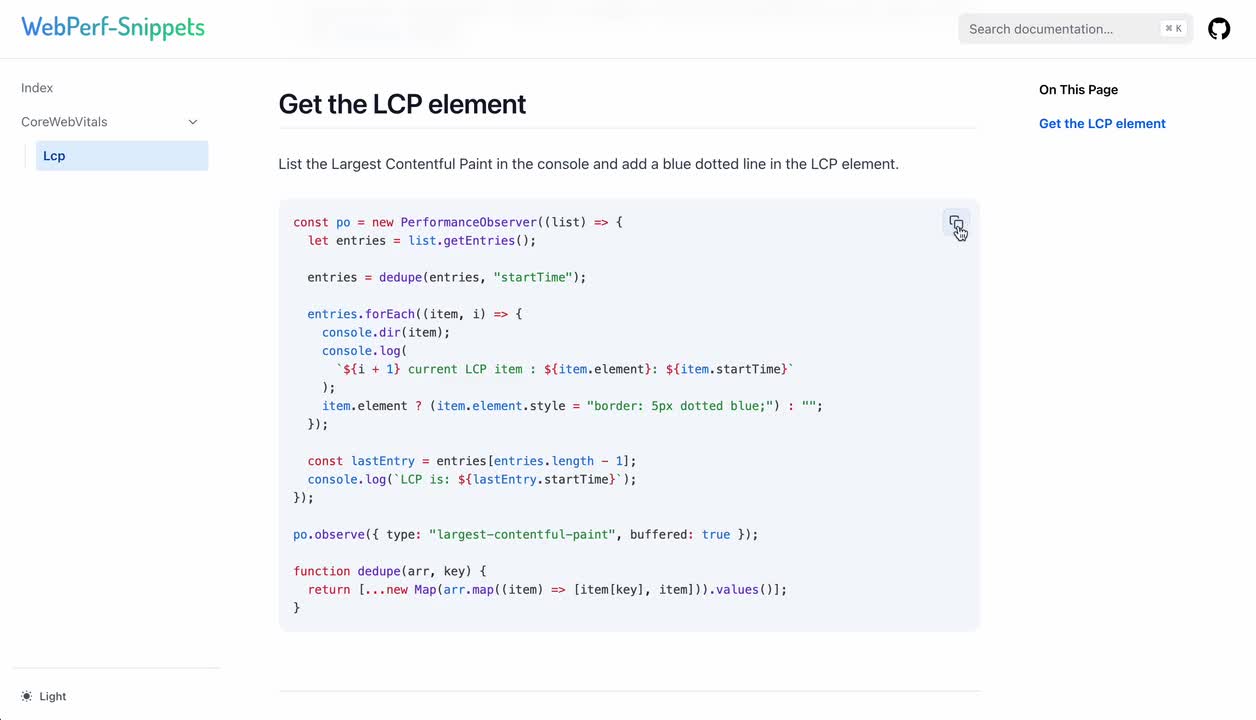
- Copy any snippet (click the copy button)
- Open DevTools (
F12orCmd+Option+I/Ctrl+Shift+I) - Go to the Console tab
- Paste and press
Enter
Save as a DevTools snippet
Save frequently used snippets for quick access:
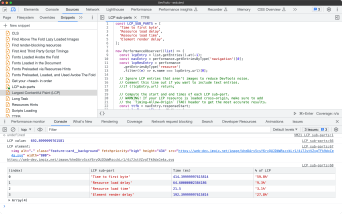
- Open DevTools → Sources tab → Snippets panel
- Click + New snippet
- Name it (e.g., “LCP”)
- Paste the code
- Right-click → Run (or
Cmd+Enter/Ctrl+Enter)
DevTools extension (beta)
A DevTools panel runs the snippets on the inspected page without pasting them, shows their results, and audits the page with the checks of the CLI. It installs from a zip while it is in beta.
Video tutorial
What you can measure
| Category | What it includes |
|---|---|
| Core Web Vitals | CLS, INP, LCP, LCP Image Entropy, LCP Sub-Parts, LCP Trail, LCP Video Candidate |
| Loading | TTFB, JS Execution Time Breakdown, FCP, Back/Forward Cache, CSS Media Queries Analysis, Critical CSS Detection, SSR Hydration Data Analysis, Validate Preload on Async/Defer Scripts, Prefetch Resource Validation, Priority Hints Audit, Service Worker Analysis |
| Interaction | Interactions, Input Latency Breakdown, Layout Shift, Long Animation Frames, Long Task, Scroll Performance |
| Resources | Network Bandwidth & Connection Quality |
| Media | Image Element Audit, Video Element Audit |
Resources
- Web Vitals (opens in a new tab) - Learn about Core Web Vitals
- Chrome DevTools (opens in a new tab) - Official documentation
- GitHub Repository (opens in a new tab) - Star, fork, or contribute